Ingredient-label scans
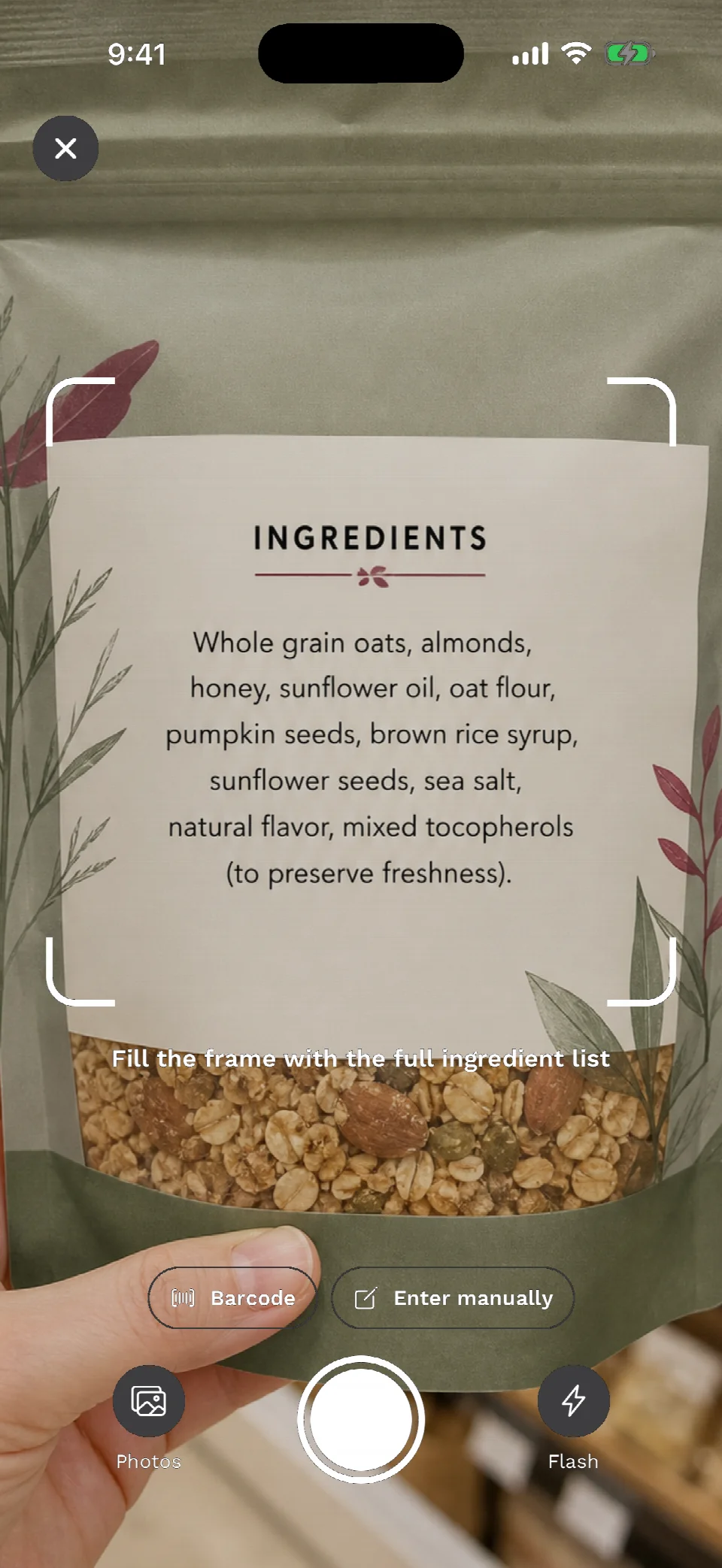
Photograph a printed ingredient list and review the transcribed text before using the analysis.
Addi
Scan an ingredient label or barcode, spot the additives you care about, and verify every result against the package.
Who it’s for
Addi helps you transcribe small print, understand food additives, and compare community barcode data with the physical product in your hand.
Features
Scan a label or barcode, focus on the additives relevant to you, and send feedback when product data needs attention.
Photograph a printed ingredient list and review the transcribed text before using the analysis.
Use Open Food Facts to identify a product, then compare its community-maintained ingredients with the package.
Choose additive categories and create a custom watchlist so results reflect what you want to review.
Start anonymously, sign in with Apple when you choose, and unlock Pro through an App Store subscription.
Send feedback from the app and request account deletion in Settings. Details are in the Privacy Policy.
How it works
Three steps help you inspect ingredient information without hiding uncertainty.
Photograph the ingredient panel or scan the product barcode.
Check the transcription and see which items match your selected categories and watchlist.
Confirm every result against the latest printed label before making a health or purchase decision.
Questions & answers
Quick answers about scans, barcodes, accounts, Pro, feedback, deletion, and safety.
Addi transcribes food ingredient labels and highlights additives based on the categories and custom watchlist you select.
The label image you choose is validated and analyzed to transcribe printed ingredients. Review the result against the physical package before relying on it.
Barcode results come from Open Food Facts, a community-maintained database that can be outdated or incomplete. Always verify the package.
Yes. You can begin with an anonymous account and choose Sign in with Apple when you want a durable account.
Pro is purchased through the App Store. RevenueCat verifies entitlement status so purchases can be restored across supported sessions.
Use the in-app feedback and account-deletion controls, or contact support. Deleting an account does not cancel an App Store subscription.
You can download Addi from the App Store.
No. Results are informational and may be wrong. Read the package and consult a qualified professional for health decisions.
Get the app
Download Addi for iPhone and start reviewing ingredient labels and additives.